Pixel Zombie Arena Cosmetics and Survivor Customization
Build your first survivor’s look with hairstyles, eye colors, clothing, and accessories. Locked items carry prices or tags, and the Neon Dojo Premium pass and Mystery Merchant offer their own cosmetics.
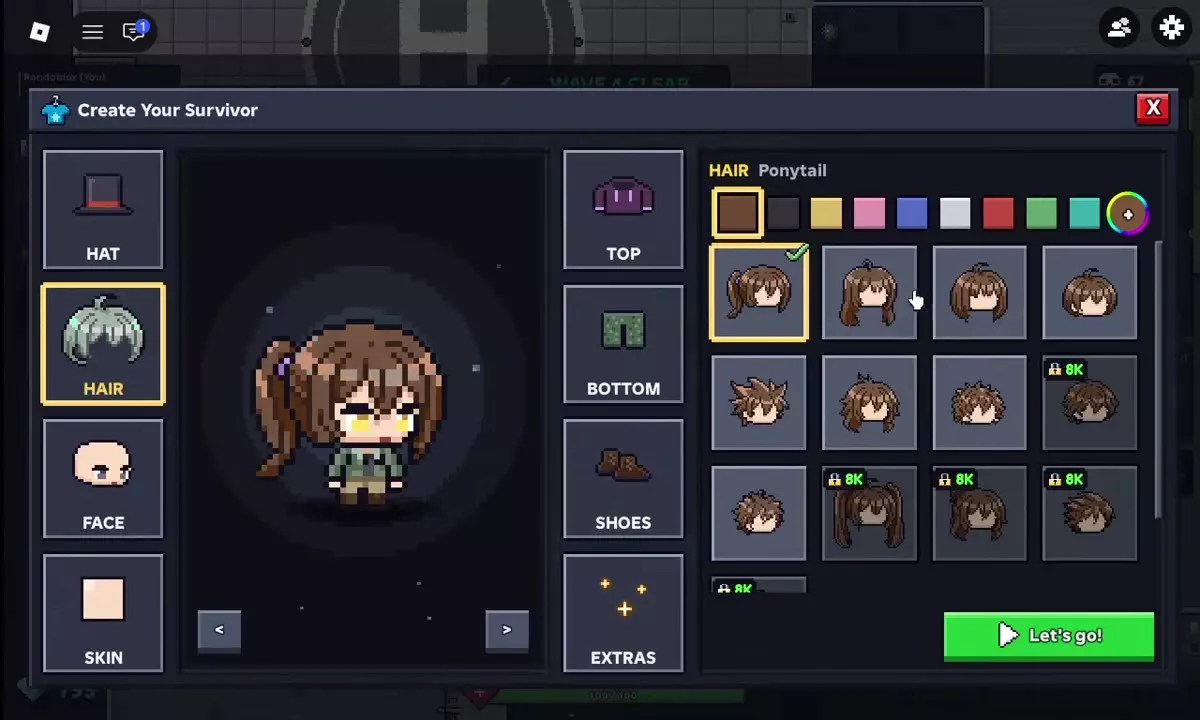
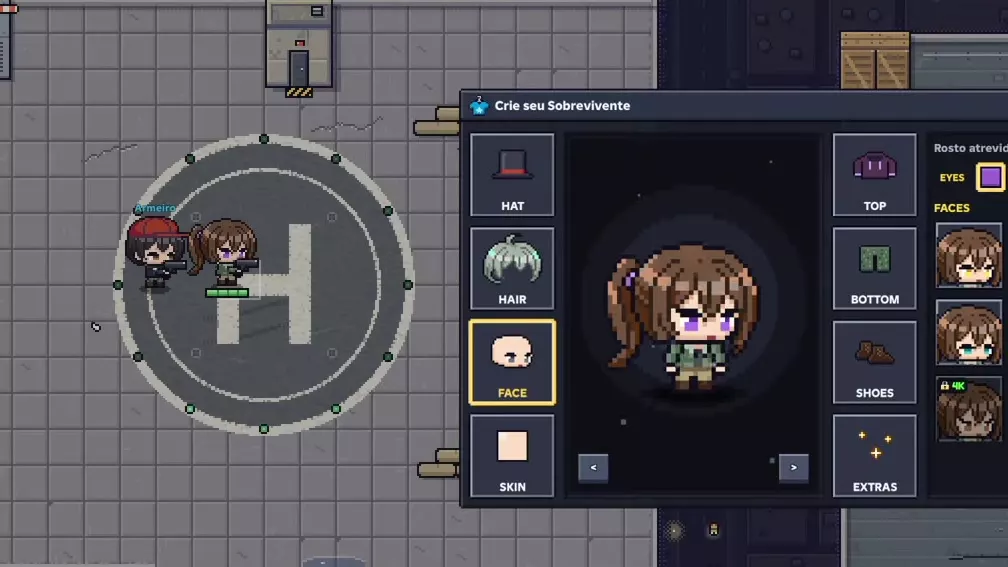
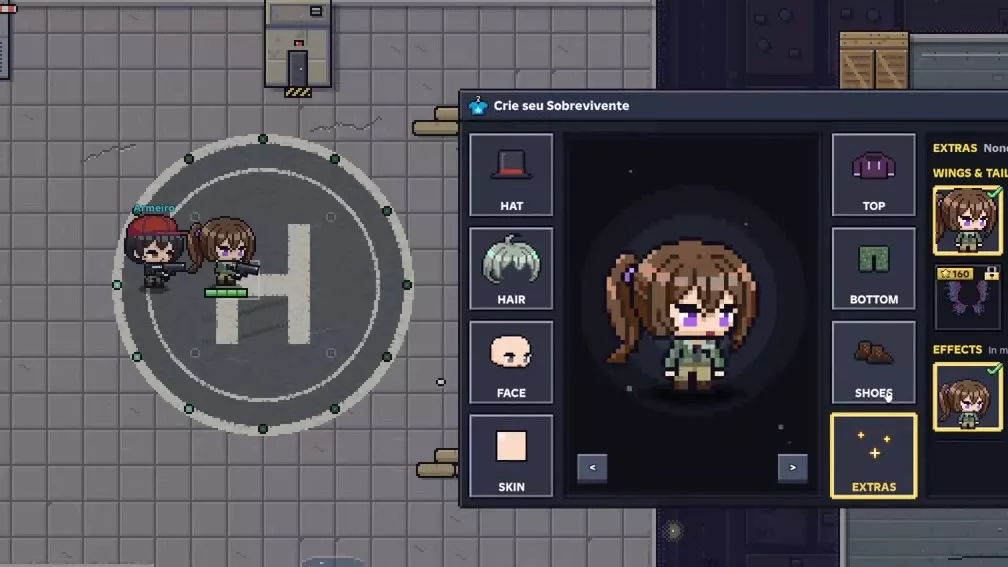
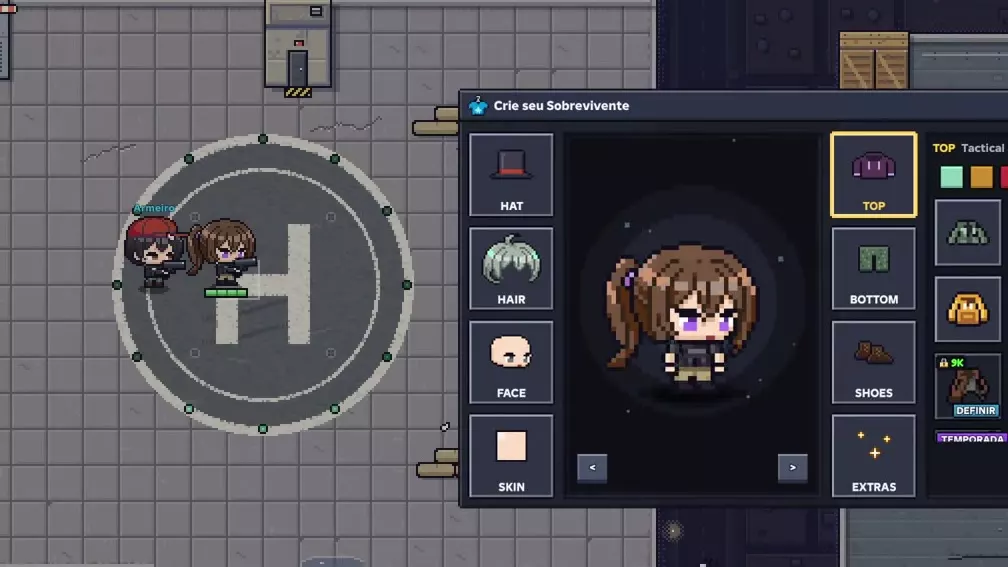
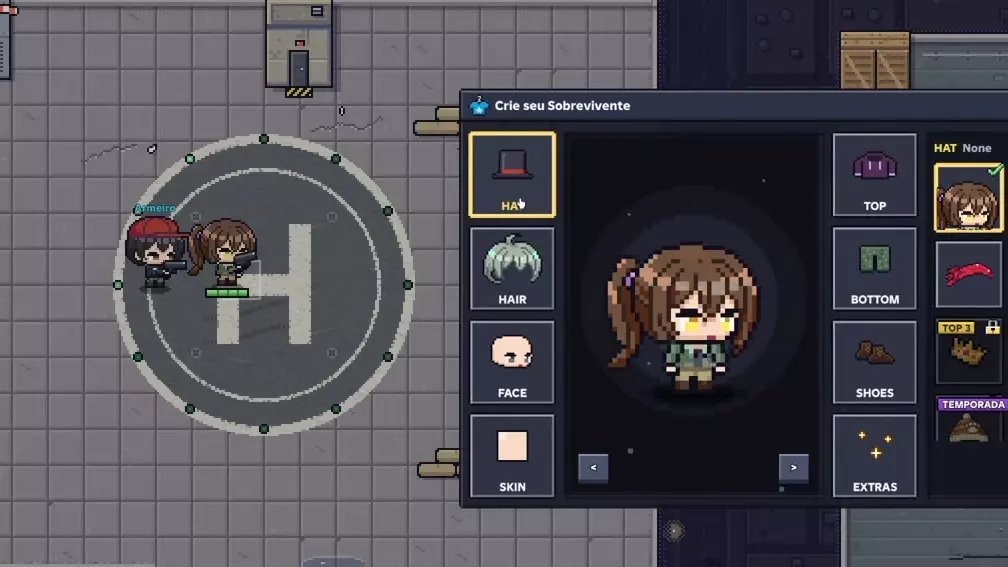
In Create Your Survivor, choose from Hat, Hair, Face, Skin, Top, Bottom, Shoes, and Extras. Each selection updates your preview. Select **Let's go!** to apply your look. The Shadow Ninja outfit, Ninja Mask, and Shadow Tabi are Season 2 Neon Dojo Premium rewards.
Survivor Cosmetic Directory
Use Menu Tab to find hairstyles, faces, clothing, and shoes in Create Your Survivor. Open an item for details such as color customization. For Neon Dojo rewards, use Cosmetic Type and How to Get It to find the outfit, mask, or footwear.
Find character creator options and Neon Dojo pass cosmetics.
16 objects
|
|
Survivor Creation Cosmetics | Hair | — | — |
|---|---|---|---|---|
|
A hairstyle that ties the survivor's hair back into a ponytail.
|
||||
|
|
Survivor Creation Cosmetics | Hair | — | — |
|
A hairstyle with upright spikes. |
||||
|
|
Survivor Creation Cosmetics | Hair | — | — |
|
A long hairstyle selectable in the Hair tab. |
||||
|
|
Survivor Creation Cosmetics | Hair | — | — |
|
A short, tousled hairstyle selectable in the Hair tab. |
||||
|
|
Survivor Creation Cosmetics | Face | — | — |
|
A selectable face style in Create Your Survivor. |
||||
|
|
Survivor Creation Cosmetics | Face | — | — |
|
A selectable face style in Create Your Survivor. |
||||
|
|
Survivor Creation Cosmetics | Face | — | — |
|
A selectable face style in Create Your Survivor. |
||||
|
|
Survivor Creation Cosmetics | Shoes | — | — |
|
A sneaker style with selectable colors, including red.
|
||||
|
|
Survivor Creation Cosmetics | Shoes | — | — |
|
Dark footwear selectable in the Shoes tab. |
||||
|
|
Survivor Creation Cosmetics | Bottom | — | — |
|
Combat-style pants selectable in the Bottom tab. |
||||
|
|
Survivor Creation Cosmetics | Top | — | — |
|
A jacket selectable in the Top tab. |
||||
|
|
Survivor Creation Cosmetics | Top | — | — |
|
A tactical-style top with adjustable colors.
|
||||
|
|
Survivor Creation Cosmetics | Top | — | — |
|
A jacket option with light detailing and selectable colors in the Top tab.
|
||||
|
|
Neon Dojo Season Pass Cosmetics | — | Outfit | Premium Season Pass Season 2: Neon Dojo |
|
A ninja outfit offered as a Neon Dojo Premium Season Pass reward. |
||||
|
|
Neon Dojo Season Pass Cosmetics | — | Mask | Premium Season Pass Season 2: Neon Dojo |
|
A cosmetic mask offered as a Neon Dojo Premium Season Pass reward. |
||||
|
|
Neon Dojo Season Pass Cosmetics | — | Footwear | Premium Season Pass Season 2: Neon Dojo |
|
Tabi-style footwear offered as a Neon Dojo Premium Season Pass reward. |
||||
Create and Preview Your Survivor
When Create Your Survivor opens during onboarding, select an available tile to see it on your character. You can switch tabs in any order before confirming.
- Hat — Pick a headpiece or leave the slot on None.
- Hair — Try Ponytail, Spiky, or Long, then use the swatches above the hairstyles to change the hair color.
- Face — Choose a face such as Cheeky Face, then use the separate Eyes swatches to set the eye color.
- Skin — Pick a skin tone or keep Default.
- Top — Try Field Jacket or Tactical Vest. Use the swatches on tops that support recoloring, such as the Tactical Vest.
- Bottom — Choose a pair of pants, such as Cargo.
- Shoes — Try dark boots or choose sneakers with color swatches if you want to match them to your top.
- Extras — Choose Wings & Tails and Effects separately, or select None in either group. During matches, only you can see your equipped effect.
For a simple outfit, pair a brown Ponytail and purple-eyed Cheeky Face with Cargo pants, dark boots, and a recolored Tactical Vest. Leave Hat and both Extras slots empty.
Select Let's go! to apply your look. If the editor opens before the tutorial, head to the glowing marker when Get Ready starts. If it opens after the tutorial results, confirm your look before continuing to camp. Beginner guide
Locked Prices, Tags and Neon Dojo Cosmetics
Read the number or tag on the locked tile in Create Your Survivor. The Set tag sits alongside the price on certain tops and bottoms.
| Tab or group | Displayed prices | Other tags |
|---|---|---|
| Hat | 6,000 and 10,000 | Top 3, Top 10, Season |
| Hair | 8,000 each | |
| Face | 4,000 each | |
| Shoes | 5,000 each | Season |
| Bottom | 6,000 each | Set, Season |
| Top | 9,000 each | Set, Season |
| Extras: Wings & Tails | 10,000 | |
| Extras: Effects | 10,000 each |
Hat also has a gold star badge marked 110. Three locked Wings & Tails tiles carry gold star badges marked 160, 225, and 305. The Effects group has three locked choices at 10,000 each. Bottom and Top each have six priced pieces tagged Set, and Shoes, Bottom, and Top each have four pieces tagged Season.
How to get the Shadow Ninja outfit
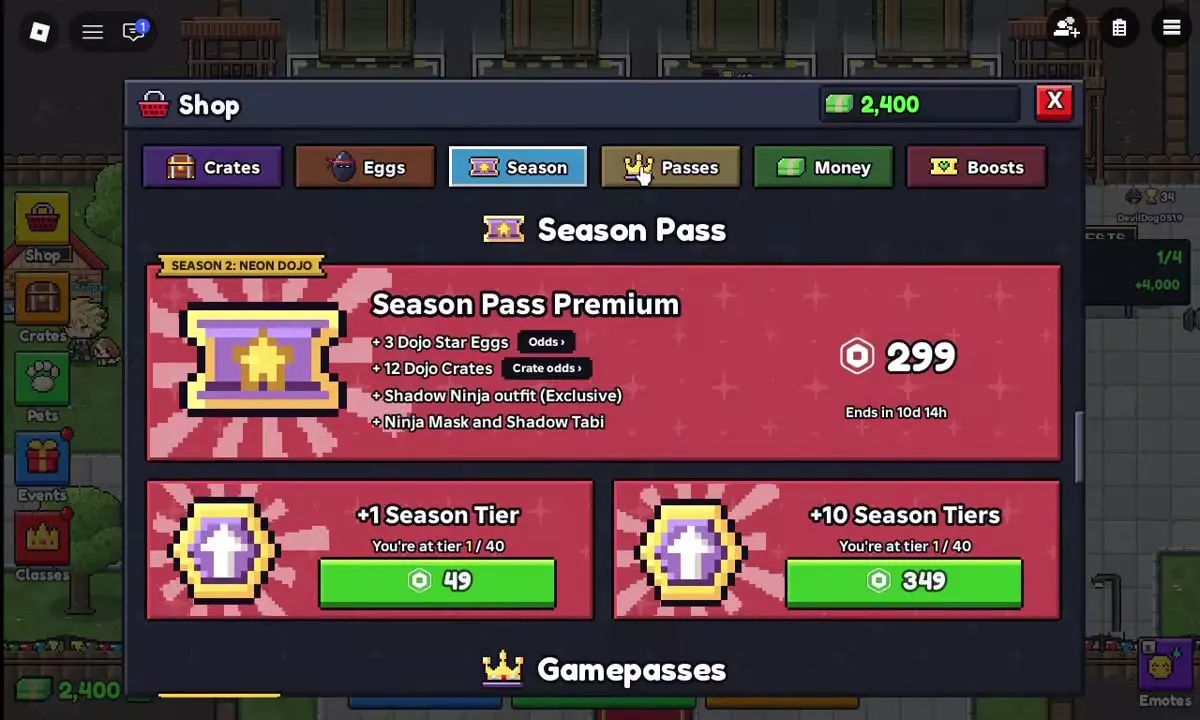
In camp, open Shop and select Season. The Season 2: Neon Dojo Premium pass costs 299 Robux and includes the exclusive Shadow Ninja outfit, Ninja Mask, and Shadow Tabi. Earn Season XP to advance the pass. Quest stars contribute to that progress.
Mystery Merchant and Season Rewards
- Mystery Merchant exclusives — Look for Traveler's Hat, Maid Ribbon, Maid Dress, and Shadow Bangs when the merchant visits camp. You can spend Money on the piece you want if it’s among your four personal offers. Merchant visits and stock
- Season rewards — For the rest of the Neon Dojo pass rewards, tier purchases, and ways to earn Season XP, see the Season Pass and XP guide.