Pixel Zombie Arena Waves Guide: Skip and Milestones
Track the wave timer, manage incoming zombies, and reach the major survival unlocks in Pixel Zombie Arena.
Clear the enemies for CLEAR, or survive until the timer ends to advance with enemies still on the field. Use Skip to keep waves moving; in a squad, every player must enable it. An active starter goal pays 4,000 Money at Wave 10, Normal Wave 20 unlocks Hard Mode, and Wave 30 unlocks Kraken Raid.
Wave 10, 20 and 30 Milestones
| Wave | Boss | Reward or unlock |
|---|---|---|
| 10 | Giant | 4,000 Money starter goal |
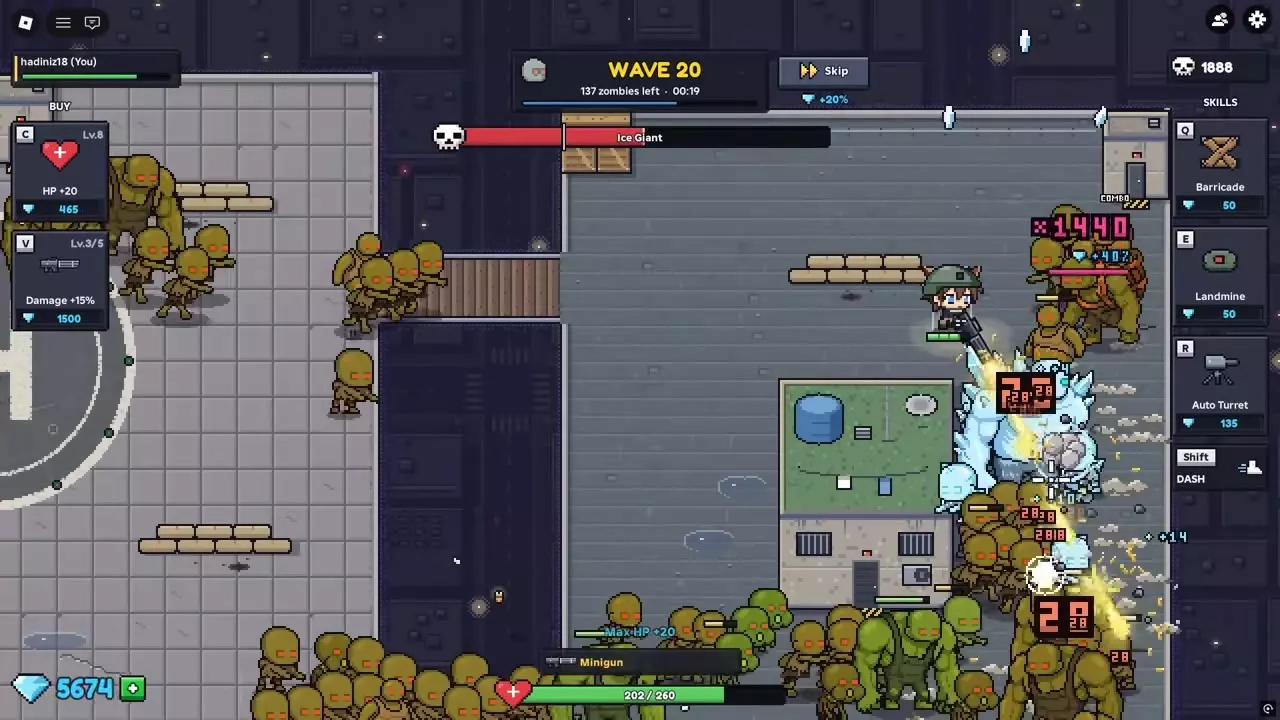
| 20 | Ice Giant | Hard Mode |
| 30 | Leaper | Kraken Raid |
The Wave 10 Money comes from the Reach Wave 10 starter goal when that goal is active. Reach Wave 20 in Normal to unlock Hard Mode. The Hard and Kraken unlock notices can appear during their respective boss fights; you do not have to wait for the wave to clear.
Clear, Survive and Collect Rewards
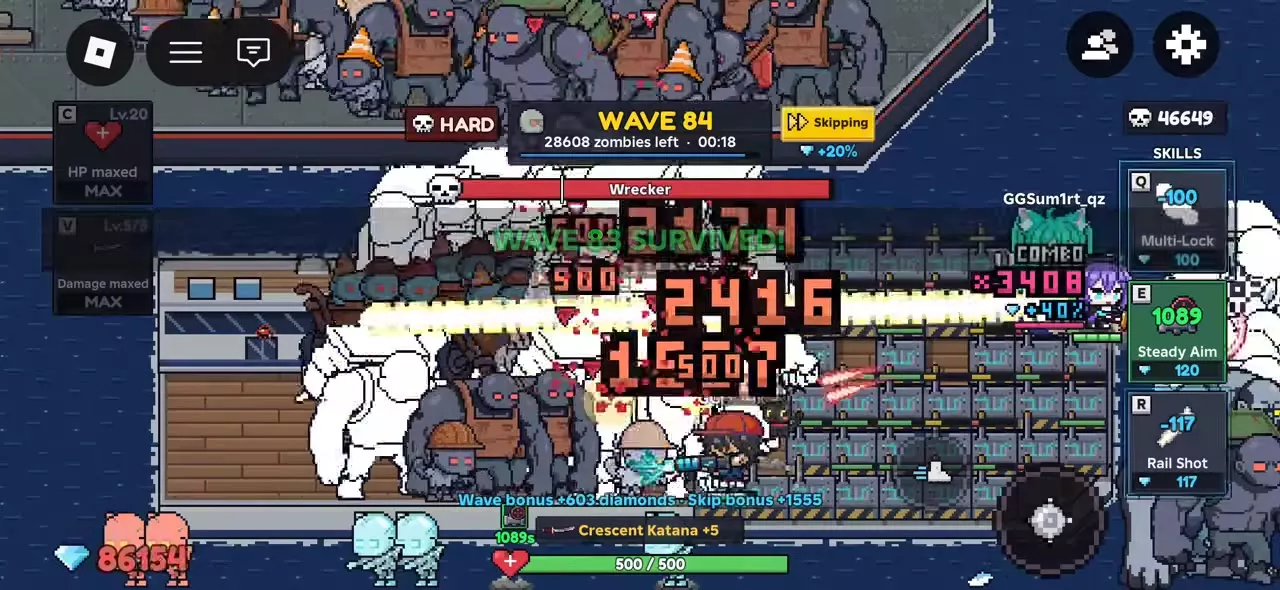
Watch the remaining zombie count and timer at the top of the screen. CLEAR means you cleared the wave; SURVIVED means you lasted until time ran out with enemies still alive. Either result can advance the run and award Diamonds. Enemies left alive, including a boss, can remain active in later waves.
Use the countdown after a clear to collect nearby Diamonds, buy upgrades, or replace damaged defenses. Prepare for a boss every 10 waves: warnings can appear three waves ahead, two waves ahead, and on the wave before it arrives. A new best wave can register when you reach it, even if you go down before clearing it.
The transition screen lists a Wave bonus in Diamonds and, when awarded, a separate Skip bonus. Diamonds pay for equipment, upgrades, and abilities during the match; unspent Diamonds disappear when it ends. See Diamonds and what to buy first for spending priorities.
After the run, open Details for the final wave, survival time, kills, and progression rewards. For example, a solo Titan run on Cargo Ship ended at Wave 215 after 70 minutes 46 seconds and 9,898 kills. Its Details screen showed 258,030 Money and 1,035 XP each for Titan Mastery and Camp progress.
Skip Votes and Enemy Carryover
Select Skip beside the wave counter to set the pace. In solo play, your toggle is enough. In a squad, every player must enable it; the control displays the vote count, such as Skip 0/2. Yellow Skipping indicates that it is active.
Skipping keeps waves coming while surviving enemies can overlap with new arrivals. The control displays a +20% Diamonds badge, and the transition screen can show a Skip bonus separately from the Wave bonus.
Turn Skip off with the same control when enemies are piling up, a defense has been breached, or a boss needs your attention. Look for Skip off, then use the time to clear the crowd and restore your position before accelerating again.
Runner Rush, Spitter Storm and Heavy Wave
Read the opening banner and check for enemies left from the previous wave before choosing your route.
- Runner Rush: Fast zombies close the gap quickly. Keep an exit open and shoot runners as they enter your firing lane.
- Spitter Storm: Watch for spit attacks. Keep moving while shooting approaching enemies and leave room to respond to ranged threats.
- Heavy Wave: Large zombies press the defense, and some packs include armored enemies. Leave space to retreat and fire into the group as it bunches up.
Follow the banner for the current match: on Rooftops, Wave 14 has featured Spitter Storm in one run and Heavy Wave in another.

Survival Routes and Boss Reference
- Higher-wave strategy: choose a defense or movement route and recover when the line breaks.
- Hard Mode and Blood Moon: prepare for the difficulty change after the Normal Wave 20 unlock.
- Survival bosses and wave order: identify boss arrivals and plan for their attacks.
- Raids: choose a raid and learn its entry and clear conditions after unlocking Kraken.
Articles and guides
3How to Unlock Hard Mode in Pixel Zombie Arena
Reach Wave 20 in Normal to unlock Hard Mode in Pixel Zombie Arena, then learn how to start a match and survive Blood Moon.
How to Reach Higher Waves in Pixel Zombie Arena
Reach higher waves in Pixel Zombie Arena with a squad turret defense or solo rotation, a Diamond reserve, and a plan for bosses.
Pixel Zombie Arena Class Directory Ranked by Price
Compare Pixel Zombie Arena class directory prices, from highest to lowest.