Pixel Zombie Arena Leaderboards and Personal Bests
Use Top Survivors to compare seasonal standings and Profile to check your best Survival waves.
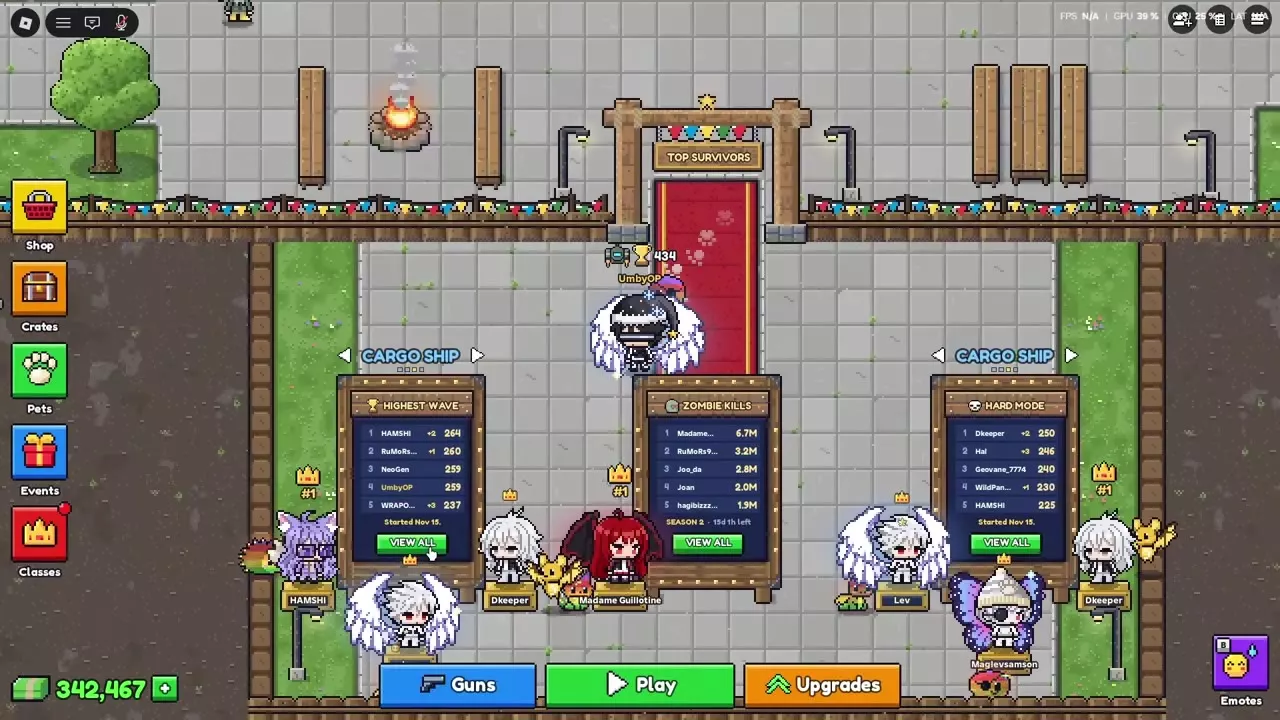
In camp, go to Top Survivors and select VIEW ALL. Choose a category, map, and season to inspect the standings. Open Profile for your best wave and separate Hard Mode best; the highlighted leaderboard entry shows your rank and target.
Open Top Survivors
- Return to camp and find the Top Survivors boards.
- Use the arrows beside a board's map name to cycle through maps.
- Select VIEW ALL to open the leaderboard, then choose Highest Wave, Zombie Kills, Hard Mode, or Raid.
Filter by Map and Season
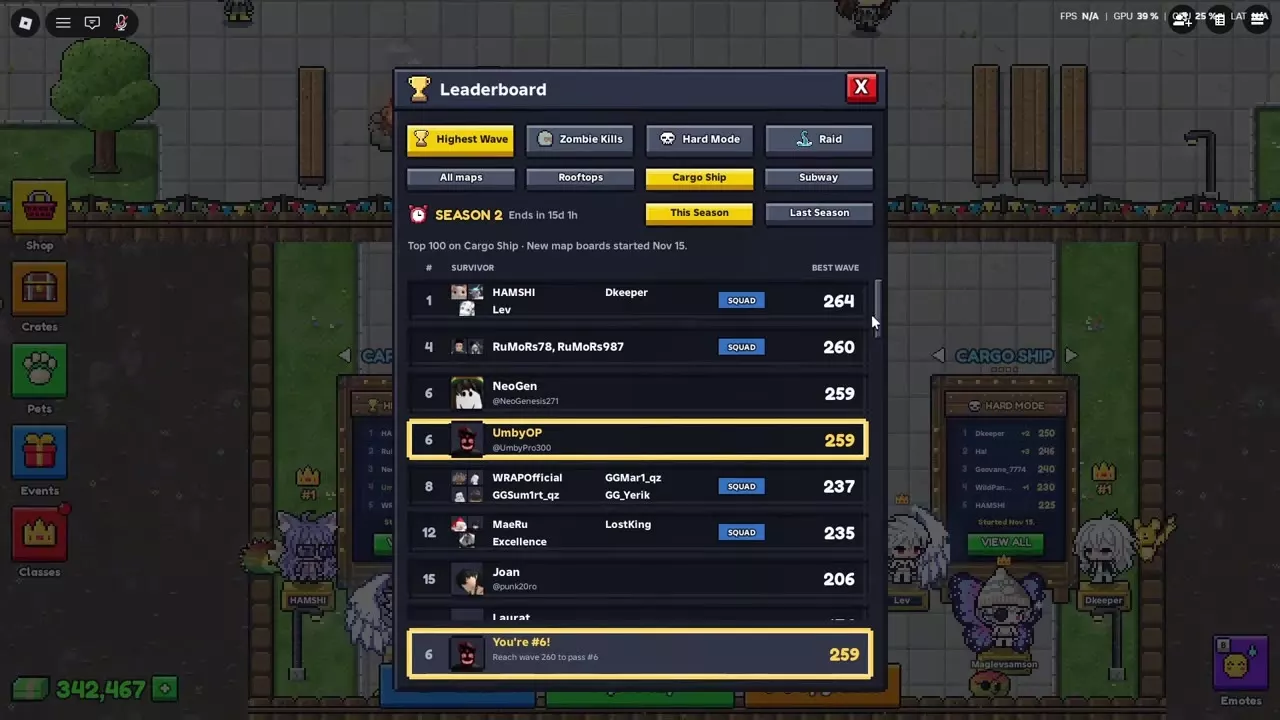
For Survival standings, choose All maps, Rooftops, Cargo Ship, or Subway, then select This Season or Last Season. A SQUAD label identifies a shared entry.
Choose Hard Mode to compare Hard runs. To make your own attempt, reach Wave 20 in Normal Survival to unlock Hard Mode.
Select Raid for the raid leaderboard. After a raid clear, the RAID CLEAR screen separately shows that run's time beside the raid name; team results rank players by damage and can display MVP, Most Kills, and Best Combo badges. See raid unlocks and rewards for the full raid overview.
Check Your Best Wave and the Next Target
Open Profile to see your best wave. Since v4.4, Profile also displays a separate best wave for Hard Mode. When a Survival run ends, the Wiped Out screen shows the wave reached and marks a new personal record with NEW BEST!
For a leaderboard target, select the same category, map, and season as the record you want to improve. Read your highlighted row for your wave and rank, then compare it with the target displayed by the board. Subtract your best from that target to find the number of additional waves needed.
For example, a Season 2 Cargo Ship Highest Wave entry at Wave 259 was ranked sixth, with Wave 260 shown as the target to pass rank 6. The gap was one wave. For a route to push that map, see the Cargo Ship survival guide.